Canvas and Cloud Networks
Quite a few different people have posted thus far about the physical IT networks that exist in their lives… I actually interpreted the question this week a little differently and thus will be discussing the cloud network that the University of Sydney uses called Canvas; with a discussion of cloud networking more generally. I have attached a screenshot of the home page of Canvas to start with.
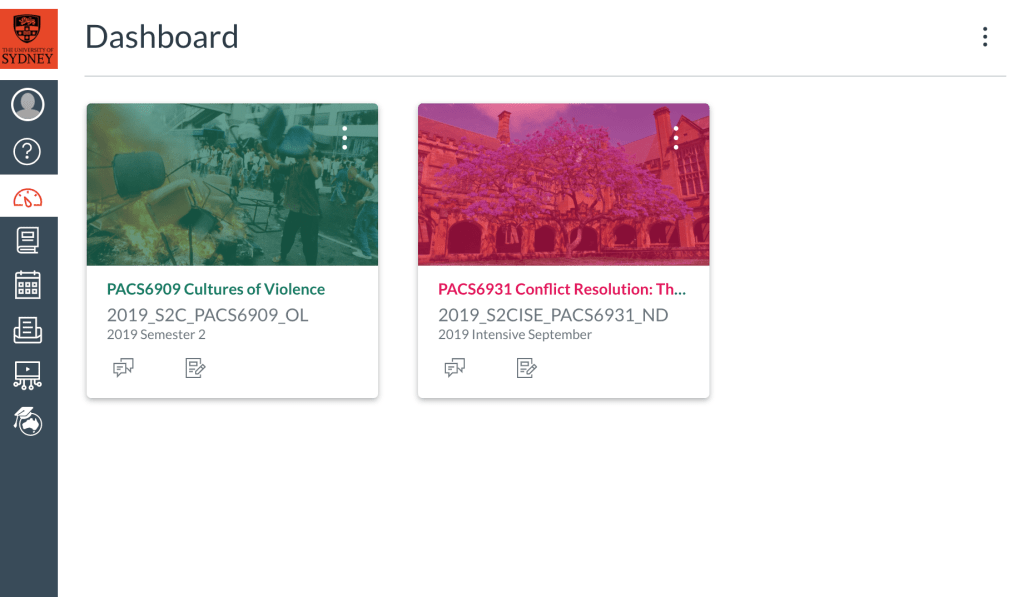
Canvas
Internet access is required to actually use Canvas for the most part, but perhaps the best thing about the network is the fact that it is specially designed to upload files and documents which can then be downloaded.
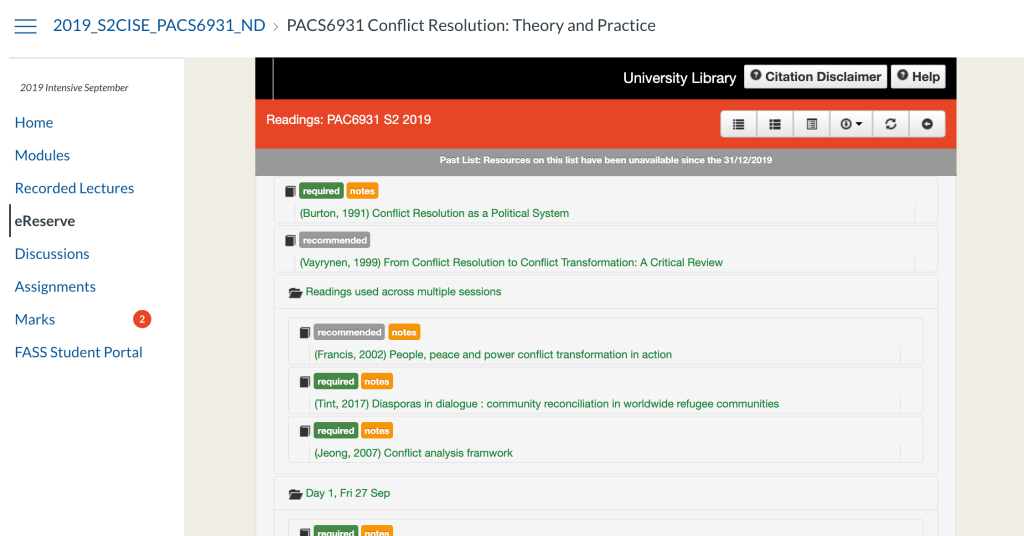
This feature is used to add every single required reading in PDF to the home page of each course you undertake, meaning you only have to access internet once to theoretically download every single resource you would need for the course, save for lectures. In this way, perhaps Canvas is almost the opposite of Burke’s second classification of IT that is adapted into library settings, and rather, is a technology that adepts library IT into it’s platform (Burke 2019, p. 14). Alternatively, perhaps the Canvas network be seen as an extension of the university library as per Burkhardt’s definition of “Emerging technolog[y] in the context of libraries, can be any tool that is being used in a novel way to serve your users” (Burkhardt, 2010 cited in Yang and Lee, 2015, p. 2). See screenshot below of the format of the Canvas-library integrated page from one of my courses.
Sharing options
It is network that is shared between the participants of each course, that is, lecturers and students. There is an option for individual private messaging though, and options to upload files to Canvas Commons. Interestingly the Canvas Commons is a free to access network for the general public, and it includes academic files, and even entire courses from universities all over the world.
A second interesting point is that “observers” are able to set up and link their accounts to monitor a course page (parents as the most obvious example). Observers can access, but not contribute to Canvas modules (Instructure, 2020).
Network
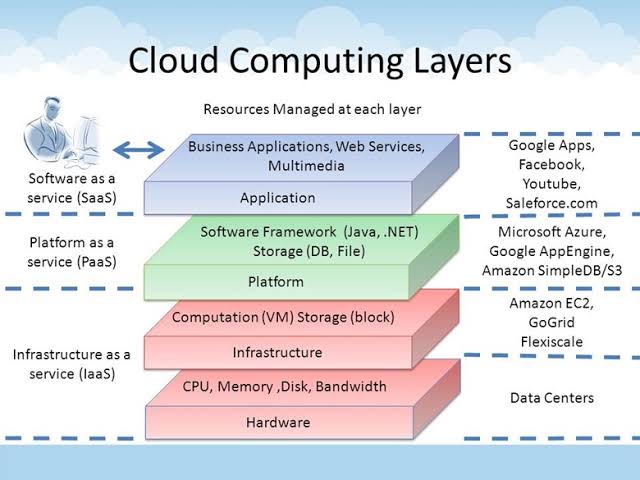
It is a cloud network hosted by GitHub, a cloud network hosting program (Hallmark 2020). Cloud computing, however, requires physical hardware; and does not merely exist in the abstract. Most of what I have described above is what is referred to as “cloud architecture” which must be separated from the “cloud infrastructure” (Azure, 2016).
Infrastructure requires hardware, and a facility in what is termed the “physical resource layer.” Physical servers, internet routers, switches, power and cooling systems all form part of this hardware, and are often stored in a data facility, which I have attached a photo of below. This often includes not only the primary databases, but also a “slave” database (a copy of all information on the cloud). This pool of information that is stored is kept not only within the hardware, but in the virtualization layer of cloud networking, commonly referred to as the cloud itself. The next point of data access is through personal devices. See diagram below from Azure (2016).
Advantages and disadvantages
Cloud networks offer users great flexibility in terms of controlling access to data, and economic benefit also in that users, rather than having to purchase and then physically store data storage devices, can instead maintain an essentially weightless, virtual copy of all files. This is also more beneficial for people from lower socio-economic classes, who may not have access to a personal computer and only shared resources, for example, shared library computers. The cloud infrastructure includes at least 3 copies of data, including both physical and virtual, which can offer security against various forms attacks against data. The disadvantages include privacy concerns, with reference to corporations use of metadata and hacking. Would be very interested to hear others thoughts on cloud platforms and networks!
References
Azure, P. (2016). Cloud Infrastructure and Services [Blog post]. Retrieved from https://pdhewaju.com.np/2016/12/17/cloud-infrastructure-and-services/.
Burkhardt, A. (2010). What are emerging technologies? [Blog post]. Retrieved from http://andyburkhardt.com/2010/01/18/what-are-emerging-technologies.
Burke, J. (2019). The Universe of Library Technology, and Survey Says: How Library Staff Members Are Using Technologies in Burke, J. (Ed.) Neal-Schuman library technology companion: A basic guide for library staff (6th ed.) (pp. 1-23). New York: American Library Association.
Hallmark, E. (2020). GitHub Frequently Asked Questions. Retrieved from: https://github.com/instructure/canvas-lms/wiki/FAQ.
Instructure. (2020). Canvas. Retrieved from https://www.instructure.com/canvas/en-au.
Yang, S. Q., & Lee, Y. Y. (2015). Emerging Technologies Impacting Libraries in the Twenty-First Century in Yang, S. Q., & Lee, Y. Y. (Eds.) Emerging technologies for librarians: A practical guide (pp. 1-15). London: Elsevier Science & Technology.
 Diane on The Internet
Hi Diane,
This is a good description of a cloud network, with a clear outline of some of the advantages and disadvantages. Security can be a real risk. Internet connection reliabilty can also be an issue.
Jo
LikeLiked by 1 person